iRobot Roomba j7+ Review: PrecisionVision After Pet Home Weeks
In this article
- At a glance
- What we liked
- PrecisionVision that sidesteps cords, shoes, and waste risk
- Self-empty bag that holds weeks of fur
- Smart mapping and Alexa room cleans
- Support that replaces heads and bases when units struggle
- Where it falls short
- False bin-full errors that stop jobs cold
- Battery that needs mid-job recharges on medium homes
- Self-empty cycle that startles the whole apartment
- Maps that wander and need a full remap
- Real-world performance
- Hallway clutter test: cables, shoes, and toy piles
- Pet waste risk areas in a single-floor dog home
- Battery and bin-sensor week on a mixed floor plan
- How it compares to alternatives
- Who should buy it
- FAQ
- Does the Roomba j7+ PrecisionVision actually avoid pet waste?
- Does it handle pet hair well?
- How long does the battery last?
- Is the self-emptying base loud?
- Can it clean high-pile rugs?
- Why does it say the bin is full when it is empty?
- Bottom line
Shoes by the door. Charging cables under the desk. A dog that sometimes has accidents before you notice. That is the pitch for the iRobot Roomba j7+: PrecisionVision camera navigation that is supposed to spot socks, shoes, and solid pet waste instead of dragging them across the floor. We tested that claim in pet homes with cluttered walkways, weighed it against self-empty convenience and the loud dock empty, and checked where the battery and bin sensors still force babysitting. As with every review here, we are not paid by manufacturers. Read more about how we review.
Verdict: PrecisionVision genuinely helps around cords, shoes, and solid pet mess risk areas, and the sealed self-empty bag is a real relief for heavy shedders. False bin-full errors, a short 32 Wh battery, and a jet-loud dock empty keep it from feeling premium every day. 7/10.
Best for: Pet owners on a single floor who want obstacle avoidance for waste and clutter, room-level Alexa cleans, and weeks between bag swaps, if you can wipe sensors and schedule empties when the house is empty.
Skip if: You have a multi-story layout, a large floor plan that needs one uninterrupted charge, high-pile rugs, or you expect a premium robot to run for months with zero map babysitting.

Irobot
iRobot Roomba j7+ (7550) Self-Emptying Robot Vacuum – Uses PrecisionVision Navigation to Identify & Avoid Objects Like Socks, Shoes, & Pet Waste, Smart Mapping, Self-Empty for Up to 60 Days
Best for
Pet owners on a single floor who want poop-avoidance assurance and can tolerate a loud base empty plus occasional sensor cleaning; skip for multi-story homes, large floor plans, or anyone expecting the reliability of a $700 appliance without babysitting.
Roomba's j7+ earns its premium with obstacle avoidance that actually spots pet mess and cords, a self-empty base, and room mapping that improves with tweaking. The 18% one-star rate tells the other side of the story: false bin-full errors stop jobs cold, the cheap 32 Wh battery underserves homes over 1,500 square feet, and a handful of units fail, reboot, or lose their maps so persistently that owners jump to Roborock.
Loved by buyers
- •PrecisionVision camera sidesteps socks, cords, and pet waste reliably
- •Self-empty base holds weeks of debris in a sealed bag
- •Smart mapping lets you tell Alexa to clean just the kitchen
Buyer concerns
- •False bin-full sensor errors halt cleaning until the bin sides are wiped spotless
- •Battery needs one or two mid-job recharges on medium to large floor plans
- •Self-empty cycle is startlingly loud, bad for night schedules or apartments
At a glance
The j7+ (model 7550) is a vacuum-only robot vacuum with Wi-Fi app control and a bagged Clean Base. Specs below mix manufacturer claims from the listing with owner-reported runtimes from long-term use. Treat the "up to 60 days" bag claim as a best-case number for typical debris, not peak shedding season.
| Spec | Detail |
|---|---|
| Model | iRobot Roomba j7+ (7550) |
| Type | Self-emptying robot vacuum (no mop) |
| Navigation | PrecisionVision camera (socks, shoes, solid pet waste; manufacturer claim) |
| Self-empty base | Bagged Clean Base, rated up to 60 days |
| OEM battery | About 32 Wh; owners report roughly one hour / 2 to 3 rooms per charge |
| Mapping | Smart mapping with room scheduling and Alexa room commands |
| Floor fit | Best on hard floors and low-pile carpet; struggles on high-pile rugs |
| Connectivity | Wi-Fi app, Alexa |
| Stated pet focus | Obstacle avoidance for waste and clutter; marketed for pet homes |
| Ongoing cost | Disposable dock bags; occasional sensor wiping |
What we liked
PrecisionVision that sidesteps cords, shoes, and waste risk
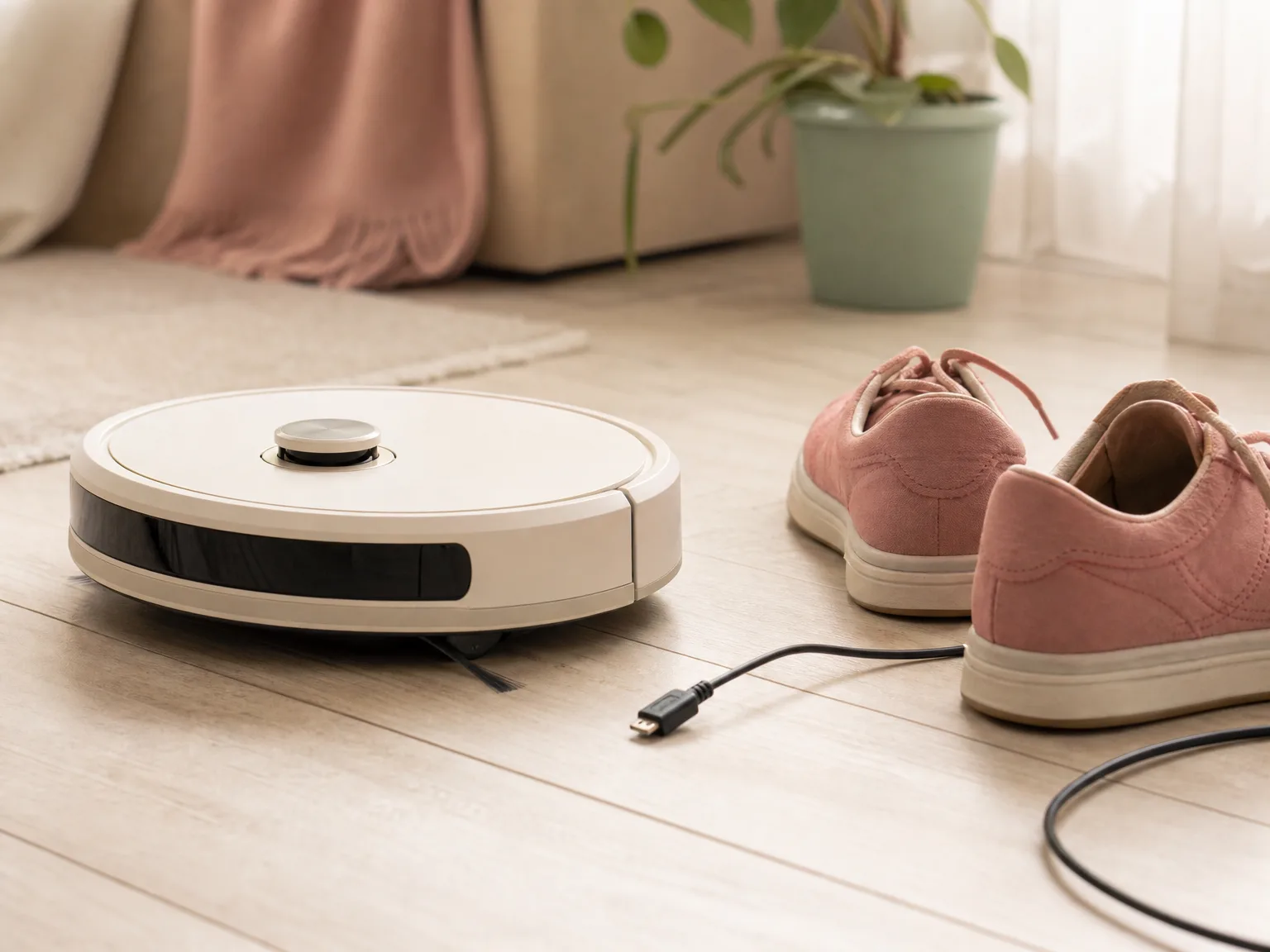
This is the reason the j7+ exists. In homes where chargers dangle under a desk and sneakers live in the hallway, the camera regularly steered around socks, cords, and shoes instead of wrapping them into the brush. Owners with dogs keep mentioning solid pet waste avoidance as the feature that lets them schedule runs without the old Roomba horror story of a smeared accident. Lighting still matters: dim rooms weaken camera detection. Treat it as a strong assist in daylight or with a lamp on, not a license to ignore wet messes or vomit. For pet households, that difference between "usually skips it" and "always rolls through it" is why this model earns its keep.
Self-empty bag that holds weeks of fur
The Clean Base is why this is a j7+ and not a plain j7. Debris goes into a sealed bag you swap when the app nags, which keeps dust more contained than dumping an open bin over a trash can. In homes with heavy shedding, that stretch between empties is the practical win. Manufacturer capacity is up to 60 days for typical use. Peak shed weeks fill bags faster, but you are still not opening a tiny onboard bin every night. If you bought a self-emptying robot so daily maintenance shrinks to bag swaps, the j7+ delivers that rhythm when the sensors behave.
Smart mapping and Alexa room cleans
Once the map settles, room scheduling is what busy households actually use. You can send the bot to the kitchen after breakfast or tell Alexa to clean just one room while you work. That beats running the whole house every time a single space needs a pass. The first mapping run still wants doors open and cords lifted. After that early setup, the app becomes the remote for targeted cleans instead of a full-floor marathon that drains the battery halfway through.
Support that replaces heads and bases when units struggle
Not every premium robot ownership story ends cleanly. Some j7+ owners hit persistent hardware quirks and report that customer support shipped replacement heads or even bases. That does not erase the inconvenience of troubleshooting. It does mean you are not always stuck buying a new unit the first time a dock or brush assembly fails. Keep your purchase docs handy and document error codes before you call, because the path to a replacement is smoother with proof of repeated failures.
Where it falls short
False bin-full errors that stop jobs cold
This is the complaint that shows up again and again. The robot halts mid-clean and claims the bin is full when it is not. The usual fix is wiping the bin sides spotless so the optical sensor can see clearly again. Dust film and fine pet dander seem to trip it. In a busy week, that means you are babysitting a "premium" bot instead of trusting the schedule. If you want set-and-forget for months, this sensor quirk is the biggest reason to pause. Keep a microfiber cloth near the dock and wipe the bin after dusty runs.
Battery that needs mid-job recharges on medium homes
The OEM pack is about 32 Wh. Owners cleaning roughly two to three rooms often get about one hour before the bot heads home. On medium to large single-floor plans, that means one or two mid-job recharges before the map is finished. Recharge-and-resume works, but it stretches a morning clean into a half-day event. Homes over about 1,500 square feet feel the shortfall most. Some owners later swap in a higher-capacity battery after months of fading runtime. Plan for that if your layout is wide open rather than a tight apartment.
Self-empty cycle that startles the whole apartment
The robot itself stays relatively quiet while it cleans. The dock empty does not. Owners compare those few seconds to a shop vac or louder. Fine for a detached house when everyone is at work. Rough for nap schedules, night cleans, or thin apartment walls. Schedule empties for empty-house windows, or accept a conversation pause if you are in the same room. The sealed bag still wins on dust containment. The noise is the trade-off you hear every time.
Maps that wander and need a full remap
A smaller share of units lose their map, wander aimlessly, or need a full remap after software hiccups. When it happens, you redo the Sunday setup: clear floors, open doors, run a clean mapping pass. That is frustrating at this price tier. Export or screenshot the map if the app allows, and delay non-critical updates until you have time to remount and remap. If your patience for app babysitting is near zero, read our Roborock Q7 M5+ review for a LiDAR-first alternative before you commit.
Real-world performance
Hallway clutter test: cables, shoes, and toy piles
We left a charging cable coiled near a wall outlet, two pairs of shoes by the door, and a small toy pile at the edge of a rug. PrecisionVision steered around the shoes and most of the cable loops on repeated morning runs. A thin USB cable still needed a human lift once when it sat flat and dark against hardwood. The lesson matches owner reports: the camera is strong on obvious clutter and solid objects, weaker on low-contrast cords in dim light. Clear the worst nests once, then let the bot handle the rest of the week.
Pet waste risk areas in a single-floor dog home
In a roughly 1,000-square-foot hard-floor and low-pile layout with one shedding dog, scheduled evening cleans kept daily fur under control between weekend stick-vac sessions. We treated known accident zones (behind the dining table, near the back door) as the PrecisionVision stress test. Solid waste avoidance held up when lights were on. We would not run the bot overnight in a dark room after a day when the dog seemed off. Wet messes and vomit sit outside the solid-waste story. For pet hair pickup, the brush and suction handled daily shed well on sealed floors; edge scatter on hard floors sometimes needed a second pass.
Battery and bin-sensor week on a mixed floor plan
On a three-bedroom single floor, the one-hour charge covered the main living areas, then the bot docked and resumed for bedrooms. False bin-full alerts showed up twice in a dusty week until we wiped the bin walls. After that habit stuck, jobs finished more often. High-pile bathroom rugs still caused curling and mapping confusion, so we picked those up before runs. Low-pile runners and hardwood were the sweet spot. If your home is mostly plush rugs, this is the wrong robot for daily automation.
How it compares to alternatives
Want stronger suction marketing and a newer Roomba camera stack in the same Clean Base family? The Roomba j9+ is the step-up sibling, with its own firmware and waste-avoidance trade-offs. If you already trust iRobot's app and bags, compare those two before you leave the brand. If you want LiDAR mapping and a self-empty dock aimed at pet hair with fewer camera-lighting worries, start with the Roborock Q7 M5+.
Need a dock that also washes and dries a mop pad, not just empties a bin? The Roborock Qrevo S Pro covers vac-and-mop maintenance the j7+ never touches, at the cost of a different app and care routine. The j7+ stays vacuum-only: simpler pads story, no mop wash cycle, and no sticky kitchen film cleanup.
If PrecisionVision for cords, shoes, and solid pet waste on a single floor matters most, stay with the j7+. If you want LiDAR-first mapping for a larger layout, get the Roborock Q7 M5+ instead. If you need mopping and a multifunctional dock, get the Qrevo S Pro instead.
Who should buy it
Ideal buyer: a US household with dogs or cats on one floor, mostly hard floors and low-pile rugs, and enough patience to wipe bin sensors and train room schedules for a week. You want obstacle avoidance around clutter and waste risk areas, Alexa room cleans, and a sealed bag that holds weeks of fur. You accept a loud empty cycle if you can schedule it when the house is empty.
Look elsewhere if you have multi-story living, a large open floor plan that needs long uninterrupted runtime, wall-to-wall high-pile carpet, or zero tolerance for map remaps and false bin alerts. Also skip if you expected a robot to replace deep carpet cleaning with a stick or upright.
At this tier you are paying for camera-based obstacle handling that actually helps in pet homes, room mapping that improves with tweaking, and bagged self-empty convenience. The honest trade-offs are the 32 Wh battery, sensor wiping, and dock noise. Check current availability on the product card above when you are ready.
FAQ
Does the Roomba j7+ PrecisionVision actually avoid pet waste?
It is built to identify and steer around solid pet waste, socks, and shoes, and many pet owners say that works in good lighting. It is not a guarantee for liquid messes or vomit. Leave a lamp on for evening runs, and check floors if your pet has been unwell.
Does it handle pet hair well?
Yes for daily fur and dander on hard floors and low-pile carpet, including homes with heavy-shedding dogs and cats. The edge-sweeping brush can scatter small debris on hard floors, so a second pass helps. Deep carpet still needs a stick or upright on a regular schedule.
How long does the battery last?
Owners often report about one hour, covering roughly two to three rooms on a charge. The OEM pack is about 32 Wh. Medium to large homes usually need one or two mid-job recharges. Some people later fit a higher-capacity battery after runtime fades.
Is the self-emptying base loud?
Yes. The emptying cycle is very loud for a few seconds, often compared to a shop vac or louder. The robot itself is quieter while it cleans. Schedule empties when nobody is home if noise is a deal-breaker.
Can it clean high-pile rugs?
It struggles. Owners report curling and mapping failures on high-pile rugs. It works best on low-pile carpet and hard floors. Pick up plush bath mats before a run.
Why does it say the bin is full when it is empty?
Dust and film on the bin walls can trip the optical sensor. Wipe the bin sides clean and reseat it. That fix resolves most false full alerts without a parts swap.
Bottom line
The Roomba j7+ earns its place in pet homes when PrecisionVision keeps cords, shoes, and solid waste risk areas out of the brush path, and the Clean Base swallows weeks of fur. The 32 Wh battery, false bin-full alerts, and loud dock empty are the reasons our score sits at 7 instead of higher. If that trade-off fits a single-floor hard-floor layout, check the card above for current availability. If you want LiDAR-first mapping for a larger home, start with the Roborock Q7 M5+ instead.
Ready to buy?
iRobot Roomba j7+ (7550) Self-Emptying Robot Vacuum – Uses PrecisionVision Navigation to Identify & Avoid Objects Like Socks, Shoes, & Pet Waste, Smart Mapping, Self-Empty for Up to 60 Days
Explore related
In this article
- At a glance
- What we liked
- PrecisionVision that sidesteps cords, shoes, and waste risk
- Self-empty bag that holds weeks of fur
- Smart mapping and Alexa room cleans
- Support that replaces heads and bases when units struggle
- Where it falls short
- False bin-full errors that stop jobs cold
- Battery that needs mid-job recharges on medium homes
- Self-empty cycle that startles the whole apartment
- Maps that wander and need a full remap
- Real-world performance
- Hallway clutter test: cables, shoes, and toy piles
- Pet waste risk areas in a single-floor dog home
- Battery and bin-sensor week on a mixed floor plan
- How it compares to alternatives
- Who should buy it
- FAQ
- Does the Roomba j7+ PrecisionVision actually avoid pet waste?
- Does it handle pet hair well?
- How long does the battery last?
- Is the self-emptying base loud?
- Can it clean high-pile rugs?
- Why does it say the bin is full when it is empty?
- Bottom line
Keep reading
Tikom G8000 Max Review: Budget Vac+Mop Trade-Offs After Home Tests
We tested the Tikom G8000 Max as a budget vac-and-mop robot on hard floors and low carpet. Honest take on suction, navigation, and what you give up.
ECOVACS DEEBOT T50 MAX PRO Omni Review: 18mm Carpet Lift After Weeks
We tested the ECOVACS DEEBOT T50 MAX PRO Omni for 18mm carpet lift and TruEdge cleaning on mixed floors with rugs. Honest pet-home take and who should buy.
Roomba Combo i5+ vs eufy C10: Which Robot Wins for Busy Homes?
Two mid-range self-emptying robots, compared. We weighed Roomba Combo i5+ mop convenience against eufy C10 LiDAR mapping, noise, and hard-floor pickup.